


All Video Player Media Player
4.3483.00 Reviews
App Specs
- Version
- 1.60.8.1
- Updated On
- License
- Free
- Downloads
- 10,000,000+
- Developer
- Prometheus Interactive LLC
- Categories
- Video Players & Editors
- Platform
- Android
Screenshots
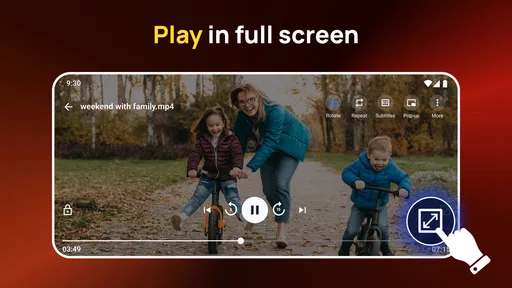
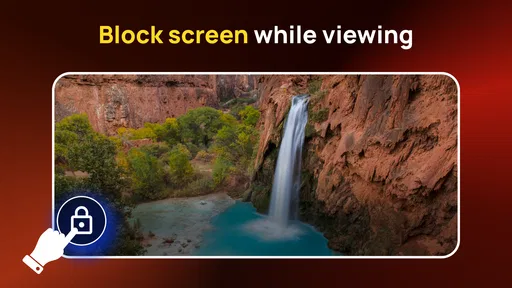
 Analysis by AppCompare
If you share a phone or tablet at home, choosing a video player is not just about whether a file opens. It is also about whether the app feels straightforward when someone else picks up the device, whether people can keep their viewing separate in practice, and whether the player suits the way your household watches. I would treat All Video Player Media Player as a practical playback app, not as a family-management tool: its appeal is having video and music playback in one place, while shared-device boundaries still depend on how the device itself is used.
A shared screen is useful, but it changes the decision
Picture a tablet passed around after dinner: one person wants to watch a downloaded film, another wants to play a music file, and someone else is trying to find a short clip. A dedicated player can reduce the need to switch apps for ordinary playback, which is the kind of convenience I value in a shared space. The trade-off is that one player does not automatically make a shared library orderly. I would agree on a simple routine—such as keeping personal files in clearly named folders and returning the device to a neutral screen—rather than assuming the app will separate each person’s activity for them.
That distinction matters if your household expects individual profiles, child-specific viewing rules, or a private history for each person. I would not choose a media player on the assumption that it provides those boundaries. For that kind of arrangement, device-level profiles or a service built around household accounts are a better starting point. This app makes more sense when the main goal is opening local media conveniently, and the people sharing the device already have a workable way to keep their files and routines distinct.
What I would check before making it the household default
Before moving everyone’s viewing to one app, I would try the actual files and devices the household relies on. Media playback can depend on the file itself as well as the player, so a successful test with one movie does not guarantee that every video, subtitle, or audio track will behave exactly as hoped. Start with a short sample of the files you watch most, check that sound and picture stay in sync, and confirm that subtitles are readable from the usual viewing distance. That small test is more useful than changing the whole household routine at once.
I would also think about who controls the device and what happens when the next person takes over. A shared player can make playback easier, but it cannot settle questions such as whose files should be visible or whether a child should have unrestricted access to the device. If those are important concerns, set expectations through the device’s own controls and household rules. For a household that simply wants a convenient way to play assorted media, the app’s straightforward focus is more of a benefit than a missing layer of account management.
Age context and realistic expectations
The app is rated for Everyone, which makes its general audience broad, but that does not mean every video played through it is suitable for every viewer. A media player is a way to open content; the files and streams people choose are what determine what appears on screen. I would keep that difference clear when a device is shared with children. The age rating can help describe the app itself, but it should not be treated as a filter for everything a household might play.
In practical terms, I would be comfortable recommending it to someone who wants a handy player for personal videos and music, or to a household that already has sensible device boundaries. I would steer someone toward a more managed option if their priority is supervised children’s viewing, separate user libraries, or account-based recommendations. That is not a criticism of a playback app; it is simply a different job from the one I expect this kind of tool to do.
Worth Reading Before You Choose

EA SPORTS FC Mobile 26 Is a Bigger Football Game, but It Takes Time

Flipboard Shows What News Apps Must Do Beyond the Feed

Switching to Android Auto Means Rethinking Your Driving Routine

Google Calendar Makes a Crowded Week Easier to Manage

Ludo King Makes the Most of the Minutes Between Plans

Baby Panda World Brings Quick Play to Modern Phones, but Its Game Library Feels Busy
First Impressions
When I first downloaded All Video Player Media Player, I was immediately impressed by its sleek and user-friendly interface. It’s not cluttered with unnecessary buttons, which makes navigation a breeze. The app opens up quickly, and within seconds, I was ready to start playing my videos.
Compatibility and Performance
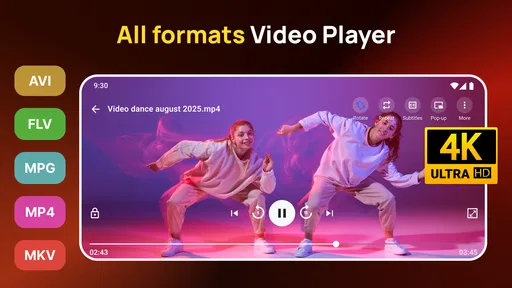
The app boasts compatibility with a wide range of video formats, including MP4, AVI, MKV, and more. I've tested it with various file types, and it didn’t disappoint. Videos played seamlessly, without any lag or buffering issues. I was particularly pleased with the app's ability to handle high-definition content smoothly, which is a big plus for anyone who loves watching HD movies or shows.
User Experience
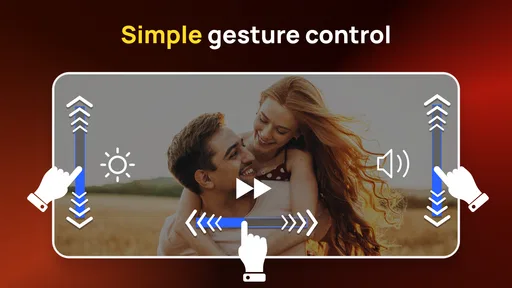
One of the standout features for me was the ease of use. The controls are intuitive, and I could easily adjust volume, brightness, and playback speed with simple gestures. Subtitle support is another feather in its cap, making it easy to upload and sync subtitles with your videos. For someone who watches a lot of foreign films, this was a game-changer.
Audio and Video Quality
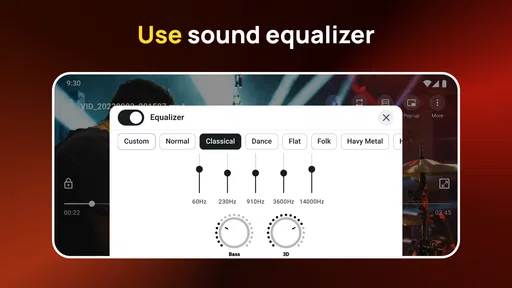
Now, let’s talk about the quality. The app delivers crystal-clear video playback, and the audio is equally impressive. The sound was rich and immersive, providing a cinema-like experience right on my phone. There’s also an equalizer feature that allows you to customize audio settings, which I found handy for tweaking the sound to my liking.
Customization Options
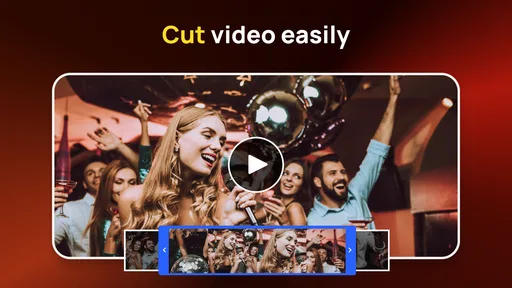
Another aspect I loved was the level of customization available. You can change themes, adjust the aspect ratio, and even use the built-in video cutter to trim clips. This feature is perfect for those moments when you want to share a specific scene with friends or on social media.
Additional Features
Beyond playing videos, All Video Player Media Player offers some nifty extras. It includes a network streaming option, allowing you to stream content directly from URLs. The app also supports Chromecast, which means you can cast your videos to a larger screen effortlessly. This feature was a hit during my testing, and it worked flawlessly with my Chromecast device.
Final Thoughts
After using All Video Player Media Player extensively, I can confidently say it’s a solid choice for anyone looking for a reliable and feature-rich video player. Its combination of compatibility, ease of use, and additional features make it stand out in a crowded market. Whether you’re a casual viewer or a movie buff, this app has something for everyone.
If you’re tired of juggling different video players for different formats, give this one a try. It’s a powerful, all-in-one solution that won’t let you down.
Where it fits among everyday player choices
In the crowded video player category, I would compare this app less with subscription streaming services and more with the player already bundled with a phone, plus general-purpose alternatives that people install when a file refuses to open. A built-in player may be enough if you mostly watch common formats and want the fewest extra steps. The case for this app is stronger when you want video and music in the same place, value playback controls and subtitle handling, or occasionally send media to a larger screen. The extra options are useful only if they match your habits; they are not a reason by themselves to replace a player that already handles your library reliably.
For someone who mainly watches online shows, a streaming service is usually the more convenient choice because its catalogue, playback position, and account features are designed around that use. This player is more relevant when you already have files or a URL you want to play. I would also avoid assuming that network streaming means every online source will work: the sensible test is to try the specific URL or media source you intend to use, rather than making it the centre of your setup before checking compatibility.
Small habits that make playback smoother
When I use a player with gesture controls, I take a moment to learn where and how each gesture works before settling in. A brightness or volume adjustment can be easy to trigger accidentally if I am unfamiliar with the controls, especially while holding a phone one-handed. I would test those adjustments on a short clip first, then leave the screen controls alone during a longer watch. This is a simple way to avoid interrupting a film while trying to make a small change.
Subtitles deserve their own quick check. If a film uses a separate subtitle file, I would keep it alongside the video and use clear, matching filenames where possible; that makes it easier to identify the right pair when a folder contains several versions. I would then check timing near the beginning, not halfway through a film. If the text is out of sync, the ability to adjust it is valuable, but checking early prevents a frustrating session. For a household, this also avoids the next viewer having to troubleshoot a file that was left in an awkward state.
The video cutter is handy for making a short excerpt, but I would treat it as a convenience for quick trims rather than a replacement for a dedicated editing app. If the goal is to prepare a polished clip, add titles, or manage multiple tracks, a proper editor is the better tool. If the goal is simply to isolate a moment to share, a built-in cutter can save the step of opening another app. I would keep the original file until I had checked the result, especially when trimming a video that matters to someone else in the household.
Streaming to a TV and other practical trade-offs
Casting changes the experience from personal viewing to shared viewing, but it also introduces more moving parts than watching directly on the phone. I would first test casting with a short video and confirm the television is ready to receive it. That gives me a chance to spot a connection issue before everyone has settled in for a longer watch. When the aim is a reliable family movie night, a dedicated streaming device or a service with built-in TV support may be simpler; when the video is already on the phone, casting from a player can be a useful shortcut.
Likewise, URL playback is best approached as a specific tool for a known source, not a promise that the app is a universal browser for video. A URL may behave differently from a local file, and the experience can depend on the source. I would use it when I have a direct media address I trust and want to play, then fall back to a familiar app if the source does not cooperate. This keeps the player useful without letting one uncertain stream disrupt the rest of the evening.
Who should install it—and who can skip it
I can see this being a good fit for people who keep personal video files on their device, want a player that also handles music, or watch subtitle-based content often. It may also suit a household that passes one device around for casual playback, provided everyone understands that sharing the player is not the same as having separate accounts. The developer is Prometheus Interactive LLC, and the app is free to install, with in-app purchases listed from $0.99 to $99.99 per item. I would check the purchase screen carefully before confirming anything, particularly on a device used by more than one person.
On the other hand, I would skip it if the built-in player already opens everything I watch and I have no use for casting, a video cutter, or the extra playback controls. I would also choose a dedicated editor for serious production, a streaming service for a managed catalogue, and device-level or account-based tools when privacy and child supervision are the main priorities. The best player is the one that removes friction from your actual routine; adding another app is not automatically an improvement.
What its popularity and software details mean in practice
All Video Player Media Player has an average rating of 4.4 from around 41,000 ratings, with roughly 476 written reviews and more than 10 million installs. I take that as evidence that many people have tried it, not as a guarantee that it will suit every device or media collection. The app is rated Everyone and was released on January 16, 2017; its current version is 1.60.7, and it requires Android 5.0 or later. Those details make it easier to judge whether it is a practical option for an older Android device, while the real test remains how it handles the files you personally use.
My household verdict is measured but positive: this is a useful general-purpose player for people who want local playback, music, subtitles, trimming, and casting gathered in one app. Its strongest role is as a convenient way to open and share media, not as a system for organising family accounts or controlling what each person sees. If you keep those boundaries clear, test your usual files, and choose it for the features you will actually use, it is a sensible free option to try. If your needs centre on managed streaming or tightly separated users, another kind of app will serve you better.
Pros
- Supports a wide range of video formats.
- Smooth playback with minimal buffering.
- User-friendly interface and controls.
- Offers subtitle support for various languages.
- Customizable playback settings.
Cons
- Contains ads that can interrupt viewing.
- Limited advanced features for power users.
- Occasional crashes on older devices.
- Premium features locked behind paywall.
- No built-in streaming service integration.
FAQs for All Video Player Media Player
What video formats does All Video Player Media Player support?
All Video Player Media Player supports a wide range of video formats, including MP4, AVI, MKV, MOV, and more. This versatility ensures that users can play almost any video file without needing additional plugins or extensions, making it a convenient choice for those who frequently deal with diverse media formats.
Does All Video Player Media Player offer subtitle support?
Yes, All Video Player Media Player includes robust subtitle support. Users can easily load subtitle files in various formats, such as SRT, ASS, and SSA. The app also allows for customization of subtitle appearance, including font size, color, and sync adjustments, enhancing the viewing experience.
Is the app free to use, or are there any hidden costs?
All Video Player Media Player is free to download and use, offering a comprehensive set of features at no cost. However, some advanced features or ad-free experiences might require in-app purchases. It's always wise to review the app’s pricing policy on the download page to avoid unexpected charges.
Can I stream online videos using All Video Player Media Player?
Yes, the app provides options for streaming online videos. Users can enter URLs directly into the player to stream content from various online sources. This functionality makes it a versatile tool not only for offline playback but also for accessing online media seamlessly.
What are the system requirements for installing All Video Player Media Player?
All Video Player Media Player is designed to be compatible with a wide range of devices. For Android, it typically requires version 5.0 and up, while iOS users will need version 10.0 or later. Ensure your device meets these requirements for optimal performance and access to all features.


